


DriftX / Knowledge Garage
FREEWheel Rotary Controls: Analogue Outputs vs CAN Values
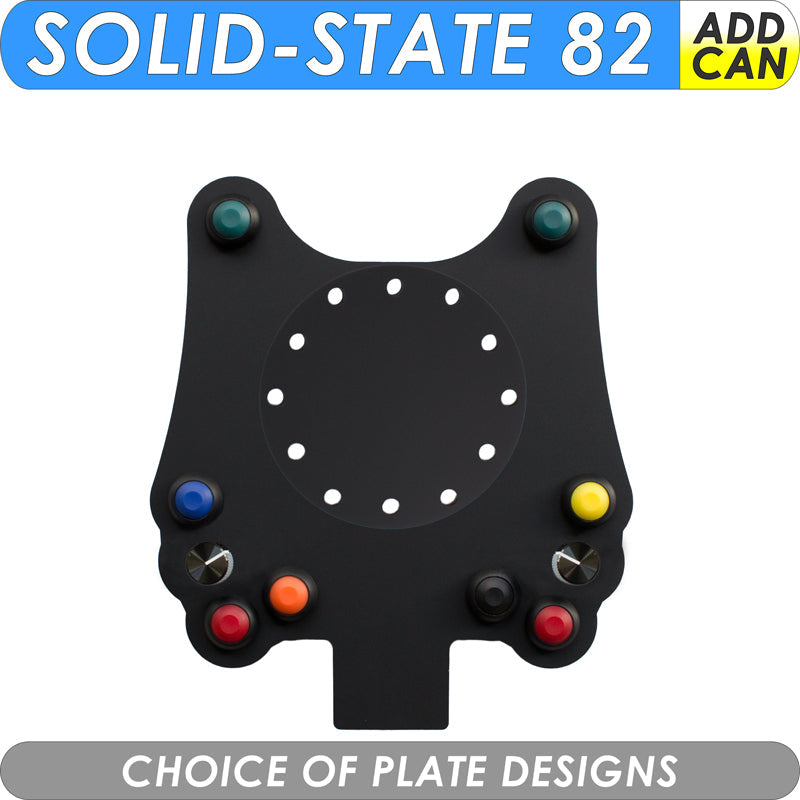
A rotary control can communicate a setting through an analogue output or a CAN value, depending on the FREEWheel system. The receiving ECU or controller must be configured for that signal and its intended function.
Start from the controller input
Identify the exact ECU/PDM and the input or CAN channel it will use. Record the required signal range and number of positions. A rotary knob is an interface for a configured function; it does not create a boost map, traction strategy or engine protection setting by itself.
Do not confuse a variable value with a powered circuit
The ten-channel solid-state system combines switching channels with two 0–5 V analogue outputs. The CAN-only system communicates digital/variable channel information on the network. These are different wiring and software paths. Match the receiver and controller configuration rather than trying to substitute one at the connector.
Exact parts and the deciding checks
| Exact option | SKU | Check before choosing |
|---|---|---|
| FREEWheel 10-Channel SOLID-STATE Easyfit System · Standard / D82: 8 buttons, 2 rotaries & black knobs / Standard | FW10_SS_Ez_L | Ten-channel solid-state Easyfit: check the selected rotary plate and analogue requirements. |
| FREEWheel 10-Channel CAN-ONLY Easyfit System · D82: 8 buttons, 2 rotaries & black knobs / Standard | FW10CAN_Ez_L | Ten-channel CAN-only Easyfit: variable values travel as configured CAN information. |
| FREEWheel 16-Channel 'DAKAR' Easyfit System · Solid-State 16 CAN / X622: 6 buttons, 4 rotaries | FW16_X622_Ez_L | DAKAR layout with additional rotary controls: map each function before ordering. |

FREEWheel 10-Channel SOLID-STATE Easyfit System
Representative range photo. Ten-channel solid-state Easyfit: check the selected rotary plate and analogue requirements.

FREEWheel 10-Channel CAN-ONLY Easyfit System
Representative range photo. Ten-channel CAN-only Easyfit: variable values travel as configured CAN information.

FREEWheel 16-Channel 'DAKAR' Easyfit System
Representative range photo. DAKAR layout with additional rotary controls: map each function before ordering.
Assign positions that are easy to understand
Agree the direction, labels, default setting and valid range with the tuner or installer. Test every position in the receiving software and confirm the displayed value corresponds to the label. If a position selects an operating map, the map itself must already exist and have been commissioned for the car.
More knobs need a clearer function schedule
A DAKAR-style layout offers additional rotary controls, but those positions still need defined destinations and behaviour. Avoid an impressive-looking plate full of controls with unclear purpose. Document the final mapping so the driver and a future technician can identify each function.
Will a rotary switch automatically give my ECU multiple boost maps?
No. It provides a signal or value. The compatible ECU input, calibrated positions and actual boost strategy must be configured and checked for the installed system.
BlinkSTOP · Explore Engine Cooling & Tuning guides
Sources and current specifications
- BlinkSTOP: analogue/switching Easyfit
- BlinkSTOP: CAN variable channels
- BlinkSTOP: DAKAR control layout
Guide checked against the linked sources. Use the live product and selected variant for current price, availability and supplied parts; ask for confirmation where the application is unresolved.


